
CherryTree
A hierarchical note taking application, featuring rich text and syntax highlighting
Download Now
Free for Windows, macOS, Linux. No registration required.
One of over 130 tools we've selected. No paid listings.
How we review software →Screenshots

About CherryTree
CherryTree is a hierarchical note-taking application built around a simple idea: your notes belong in a tree, not in a pile of flat documents. Each notebook is a tree of nested nodes that you organize by dragging and dropping, and each node is a full rich-text page. Everything is stored in a single file on your disk (XML or SQLite), so a whole knowledge base stays easy to back up, move, or sync with the tool of your choice. It is written by Giuseppe Penone with contributions from a long-standing community, translated into more than thirty languages.
Rich Text Built for Technical Notes
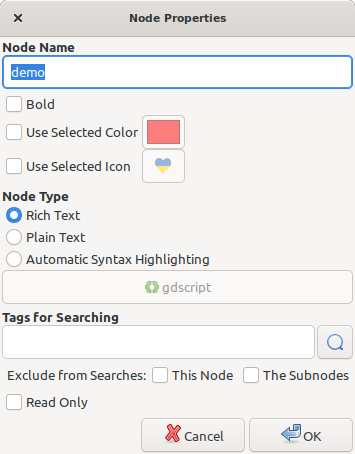
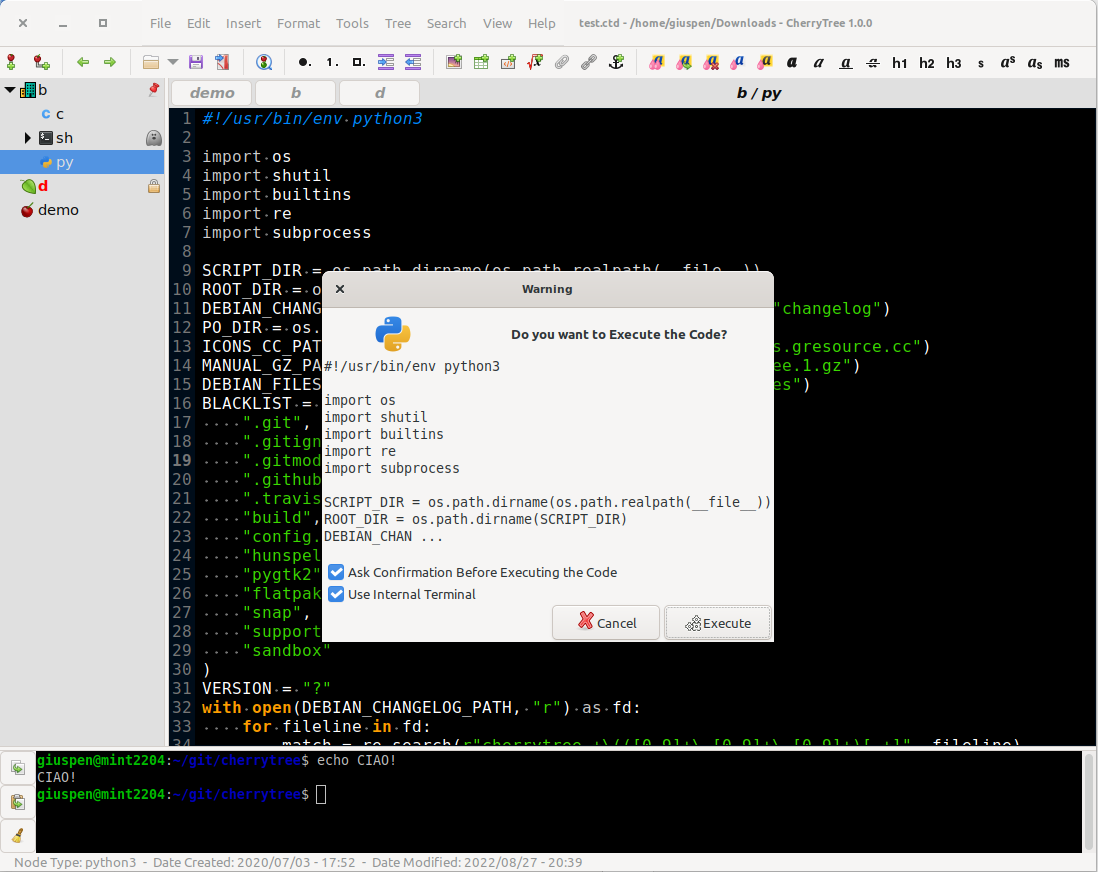
Nodes support full rich text: colors, bold, italic, headers, subscript and superscript, and multi-level bulleted, numbered, and to-do lists. Where CherryTree stands out is technical writing. Syntax highlighting covers dozens of programming languages, and dedicated codeboxes keep snippets neatly separated inside a page. Code nodes and codeboxes can even be executed straight from the app, with the terminal command configurable per language. LaTeX math equations render inline, which makes it a serious option for study notes and engineering documentation.
Tables, Images, and Embedded Files
Notes are not limited to text. You can insert images and resize or rotate them in place, build simple tables with CSV import and export, and embed files directly into a page to keep attachments next to the words that explain them. Hyperlinks can point to web pages, files, folders, or other nodes, so a notebook can work as a personal wiki. Typing a URL links it automatically, and writing a node name between double brackets links to that node.
Single-File Storage, Optionally Encrypted
A notebook lives in one file. That makes backups trivial and lets you carry a whole project on a USB stick, especially with the portable Windows build. When privacy matters, single-file documents can be password-protected using 7-Zip encryption. One honest caveat from the author: while a protected document is open, an unprotected copy sits in a temporary folder until you close the app.
Find, Organize, and Get It Back Out
Search runs across a node, a node and its subnodes, or the entire tree, with replace support everywhere. CherryTree imports from a long list of note apps, including Tomboy, Gnote, KeepNote, Zim, and plain HTML or text folders, and it exports selections, nodes, or whole trees to PDF, HTML, or plain text. A table of contents can be generated automatically from your headers.
Where It Fits, and Where It Doesn't
CherryTree suits developers, sysadmins, students, and anyone who keeps structured notes with code in them. It is desktop-only: there is no built-in cloud sync and no official mobile app, so syncing means placing the file in a cloud folder or a tool like Syncthing. The interface is practical rather than modern. In exchange you get speed, depth, spell check, and total ownership of your data, free and open source under the GPLv3+ license.
Key Features
Hierarchical tree organization
Nest notes in an unlimited tree, reorder nodes by drag and drop, tag them, and search names, tags, and content across the whole notebook.
Import, export, and PDF or HTML output
Import from Tomboy, Gnote, KeepNote, Zim, HTML, or text folders; export nodes or whole trees to PDF, HTML, or plain text with automatic table of contents.
Single-file storage with optional encryption
Each notebook is one XML or SQLite file, easy to back up or carry; single-file documents can be password-protected with 7-Zip encryption.
Tables, images, and embedded files
Insert and edit images, build simple tables with CSV import and export, and attach files directly inside a note.
Pros & Cons
Pros
- Free and open source (GPLv3+) on Windows, macOS, and Linux
- Active development, frequent releases, 30+ interface translations
- One portable file per notebook, easy to back up or sync yourself
- Deep feature set for structured notes and code documentation
Cons
- No built-in cloud sync or mobile apps (desktop only)
- macOS builds are community-provided, not first-party releases
Frequently Asked Questions
Is CherryTree free?
Yes. CherryTree is completely free and open source under the GPLv3+ license, with no accounts, subscriptions, or feature limits.
Can I import notes from other applications?
Yes. CherryTree imports from Tomboy, Gnote, KeepNote, NoteCase, Zim, RedNotebook, TreePad Lite, and folders of HTML or plain text files, and exports to PDF, HTML, plain text, or another CherryTree file.
Can I password-protect my notes?
Yes. Notebooks stored as a single file can be password-protected using 7-Zip encryption. Note that while a protected document is open, an unprotected copy is extracted to a temporary folder and removed when you close the app, as the author documents.
Screenshots