
UltiMaker Cura
The go-to slicer that turns 3D models into print-ready G-code without the headache
Download Now
Free for Windows, macOS, Linux. No registration required.
One of over 130 tools we've selected. No paid listings.
How we review software →Screenshots

About UltiMaker Cura
UltiMaker Cura has been around long enough to earn a reputation, and it has stuck because it actually delivers. This is a 3D printing slicer that does one thing and does it well: it takes your 3D model, slices it into layers, and spits out the G-code your printer needs to turn that digital file into a physical object. It is not flashy, it does not try to be everything to everyone, but it is one of the most reliable tools in the desktop 3D printing space.
Why Cura Stands Out
Cura is open source, free, and actively maintained by UltiMaker, which is a company that has been building 3D printers for well over a decade. That company backing matters because it means the software is not a weekend project that gets abandoned after a few updates. The code lives on GitHub, where developers can audit it, contribute improvements, and report issues. That level of transparency is rare for software of this type and gives users genuine confidence in the project's longevity.
The Slicing Workflow
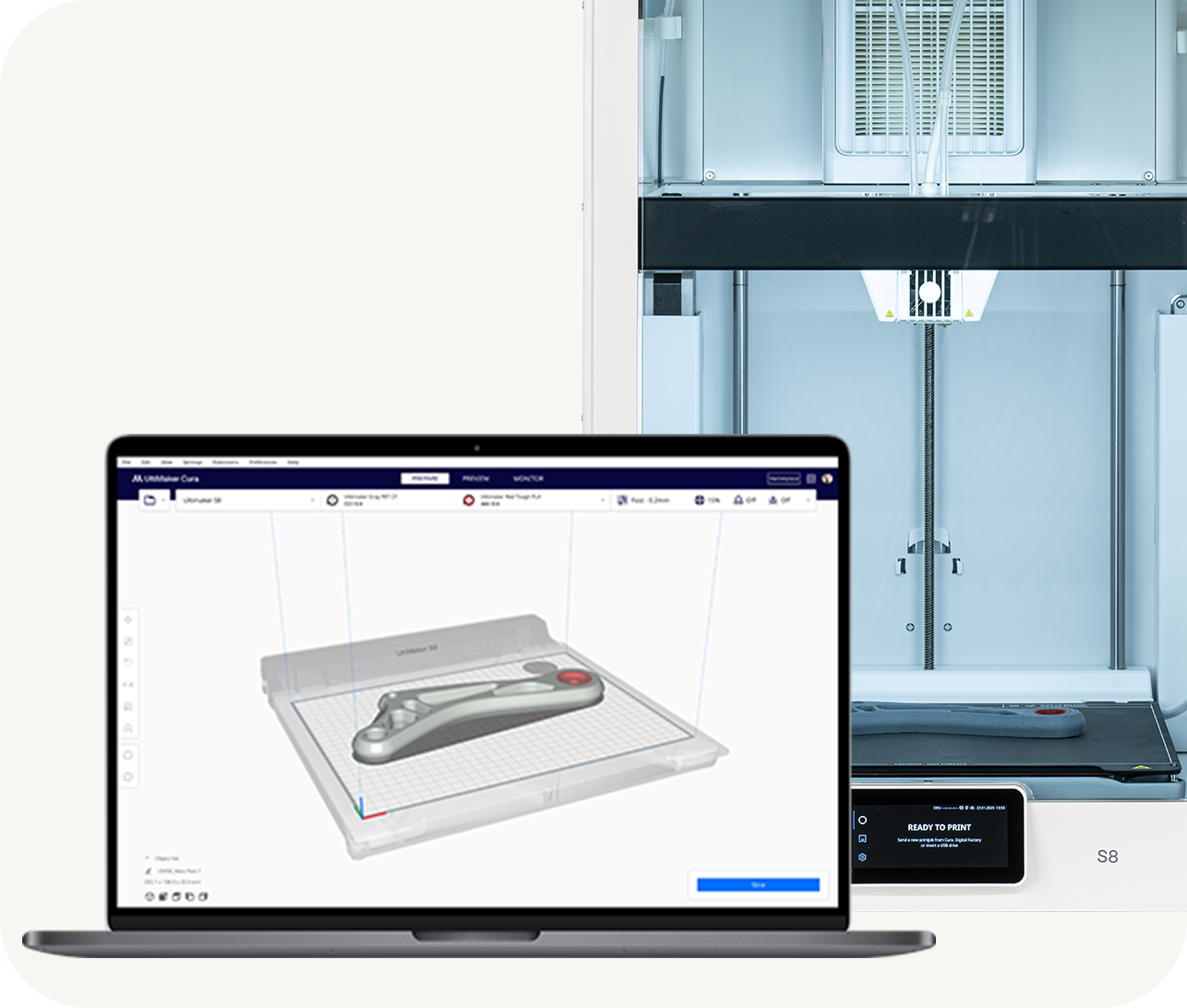
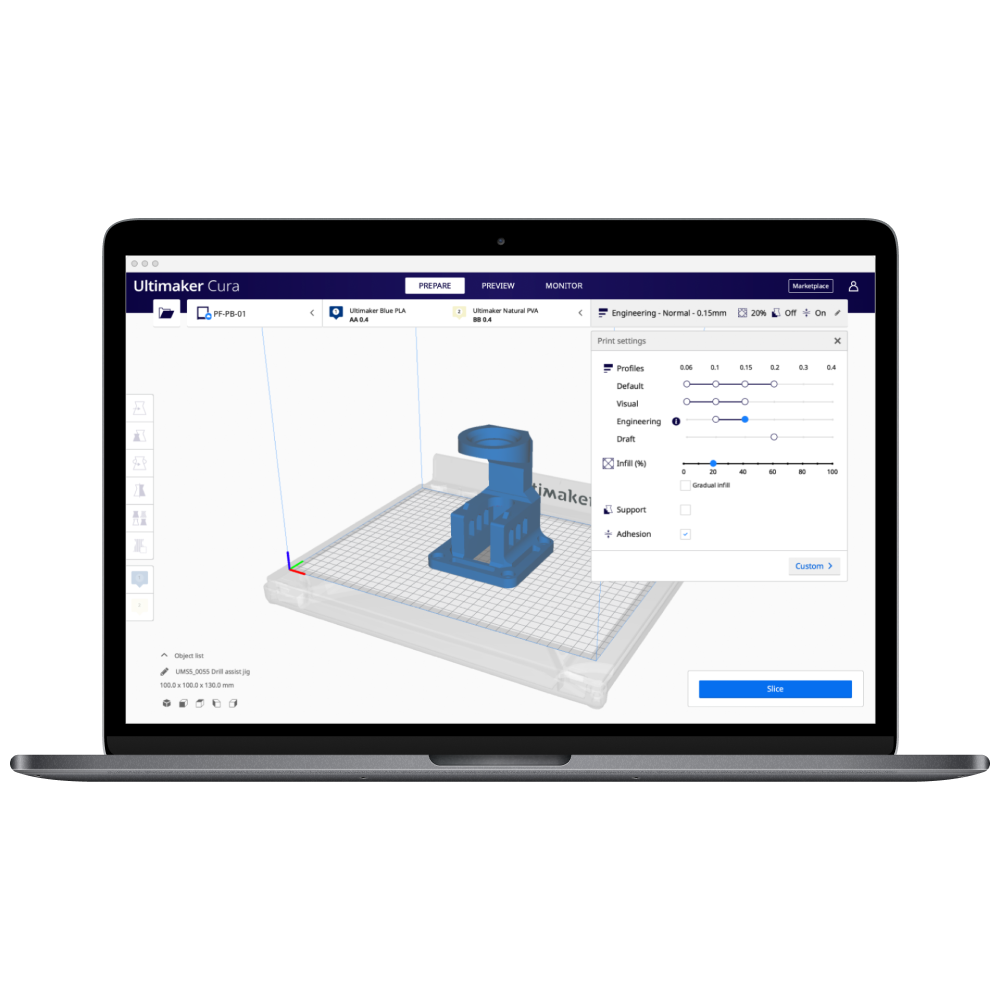
The core experience in Cura is straightforward. You import a 3D model in STL, OBJ, 3MF, or other common formats, place it on the virtual build plate, adjust orientation and scale, and then let the slicer do its job. Cura handles the heavy lifting of calculating toolpaths, determining infill patterns, generating support structures, and estimating print time and material usage. For most prints, the recommended profile will get you a good result without touching a single advanced setting.
Deep Customization When You Need It
Where Cura really separates itself from simpler slicers is when you decide to go deeper. The software exposes more than 400 adjustable settings across categories like quality, speed, material, cooling, support generation, adhesion, and print sequence. You can tune individual layer heights, adjust wall thickness, control infill density and pattern, define support overhang angles, manage retraction behavior to reduce stringing, and even adjust travel moves to avoid collisions. Most users will never touch the majority of these settings, but having them available means Cura grows with you as your skills improve.
Printer and Material Ecosystem
Cura ships with built-in profiles for UltiMaker printers out of the box, but it also includes profiles for many third-party printer brands. You can add custom printer definitions, import community-created profiles, or configure a completely new machine from scratch. The plugin marketplace extends this even further with material profiles from filament manufacturers, allowing you to start with tested settings rather than guessing extrusion temperatures and flow rates from scratch.
Preview and Verification Tools
Before you send a print file to your printer, Cura gives you a detailed layer-by-layer preview. You can scrub through the print one layer at a time, inspect support placement, check travel moves, and see how the printer will actually execute the job. This is not just a cosmetic feature; it catches problems before they waste hours of printing time and grams of filament. The preview shows travel time estimates per layer and can highlight areas where the toolpath might cause issues.
Performance and Practical Considerations
Cura handles large and complex models reasonably well on modern hardware, though previewing very dense meshes can tax older systems. The software benefits from having a capable graphics setup when working with detailed models or complex support structures. File exports are reliable and the generated G-code follows standard conventions that work across most desktop 3D printers.
The Bottom Line
Whether you are printing a quick prototype on a home printer or preparing a production run on a professional machine, Cura provides a solid foundation. It is not trying to reinvent 3D printing; it is just doing the essential job of slicing better than most alternatives. The combination of being free, open source, well-maintained, and packed with features that scale from beginner to advanced makes it the default choice for a huge portion of the 3D printing community.
If you are looking for a slicer that will not hold you back as your projects get more ambitious, Cura is worth a look.
Key Features
Recommended & Custom Print Profiles
Pre-tested recommended profiles for quick setup plus full custom mode for advanced users who need complete control.
Open-Source Slicing Engine
Fully open-source codebase on GitHub, allowing community contributions and transparent development by UltiMaker.
Layer-by-Layer Print Preview
Interactive layer-by-layer preview with support inspection, travel path visualization, and print time estimates per layer.
Plugin Marketplace & Material Profiles
Extensible plugin system with branded material profiles from filament manufacturers for tested settings.
Pros & Cons
Pros
- Free, open-source, and actively maintained by UltiMaker with a large community
- Over 400 adjustable settings for deep print customization
- Easy to start with recommended profiles, yet scales to expert users
- Plugin marketplace and branded material profiles reduce setup time
Cons
- Advanced settings can feel overwhelming once you leave preset mode
- Best integration is with UltiMaker hardware, though third-party support is broad
Frequently Asked Questions
Is UltiMaker Cura free to use?
Yes, Cura is completely free and open source. It is released under the LGPL-3.0 license, and the source code is publicly available on GitHub.
Does Cura only work with UltiMaker printers?
No. While Cura includes profiles for UltiMaker printers, it also supports many third-party 3D printers. You can add custom printer definitions or import community-created profiles.
Can I fine-tune print settings beyond the presets?
Yes. Cura exposes more than 400 settings in custom mode, covering quality, speed, material, cooling, supports, and adhesion. Most users will use presets, but the advanced settings are there when you need them.
Screenshots