
VLC Media Player
Free and open-source media player supporting all video and audio formats
Download Now
Free for Windows, macOS, Linux, Android, iOS. No registration required.
One of over 130 tools we've selected. No paid listings.
How we review software →Screenshots

About VLC Media Player
VLC Media Player is a robust, open-source multimedia player that has established itself as an industry-standard solution for media playback across desktop platforms. Developed by the VideoLAN project, VLC provides comprehensive support for a vast array of video and audio formats without requiring additional codec installations. This eliminates the common frustration users experience with proprietary media players that demand external dependencies.
Key Capabilities
The player's codec library encompasses MPEG-2, MPEG-4, H.264, VP8, VP9, and numerous other formats. Beyond standard video containers like MP4, AVI, and MKV, VLC seamlessly handles specialized formats including VOB, OGM, and Matroska files. Audio support extends to MP3, AAC, FLAC, and Opus among others. The application also functions as a capable streaming client, supporting HTTP, FTP, and RTSP protocols, making it useful for accessing network-based media.
Interface and Usability
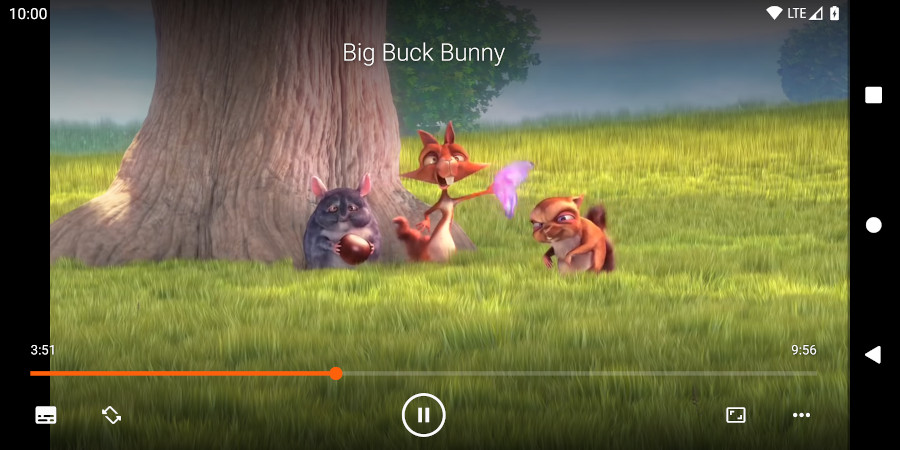
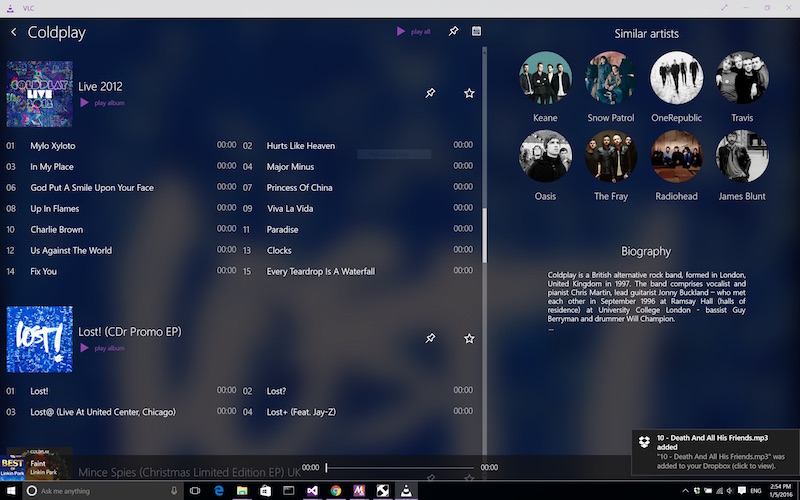
VLC maintains a straightforward interface that balances functionality with accessibility. Users encounter a minimal learning curve, whether employing the standard view or the more compact interface mode. Customizable playlists, shuffle options, and repeat modes cater to diverse listening preferences. The playback controls remain consistently positioned and intuitive, allowing quick seeking, volume adjustment, and aspect ratio modifications.
Performance Characteristics
The application demonstrates efficient resource utilization, making it suitable for systems with modest specifications. Hardware acceleration support, when available, further improves performance during intensive video playback. The player continues to function reliably across older media formats and damaged files, showcasing robustness in real-world usage scenarios.
Cross-Platform Availability
VLC operates identically across Windows, macOS, and Linux environments, ensuring consistent user experience regardless of operating system. This cross-platform consistency proves invaluable for users transitioning between different systems.
Technical Foundation
Built upon FFmpeg libraries, VLC benefits from continuous development and security updates. The open-source nature allows community contributions while maintaining code transparency. Regular updates address emerging format support requirements and security considerations, though the application generally requires minimal maintenance from end users.
Key Features
Comprehensive Format Support
Plays virtually all video formats including MP4, AVI, MKV, MOV, FLV, and many more without additional codec installations.
Pros & Cons
Pros
- Completely free and open-source with no licensing restrictions
- Supports streaming protocols and network media playback
Cons
- Interface design feels dated compared to modern players
Frequently Asked Questions
Does VLC work on all operating systems?
Yes, VLC is available on Windows, macOS, Linux, iOS, and Android. The interface and features remain consistent across all platforms, ensuring a uniform user experience regardless of your operating system.
Screenshots