Mindwtr: A Complete GTD System That's Actually Free
- Productivity
- Open Source
- GTD
- To-Do
- Cross-Platform
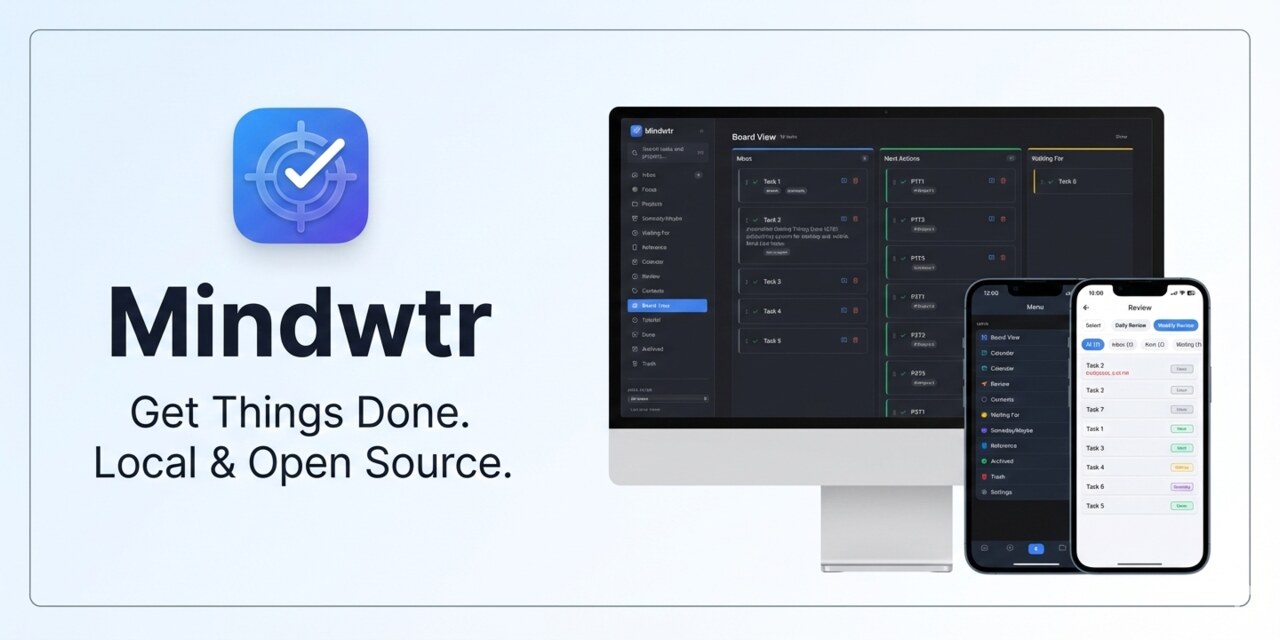
There is a special kind of irony in a to-do app that asks for your email address, a password, and a marketing consent checkbox before it lets you write down "buy milk." Getting Things Done is supposed to start with a frictionless capture, and most apps put a registration form in the way of the capture. I came across Mindwtr while reading a thread of people hunting for open-source Todoist alternatives, and the first thing it says is almost a dare: free forever, works offline, no account. Not "no account for the first 14 days." No account, full stop.
GTD, the whole method, not a sticker on the box
Plenty of apps borrow the GTD vocabulary for marketing and then hand you a flat list with due dates. Mindwtr implements the actual workflow. Everything you capture lands in an Inbox, unprocessed. Later, you clarify each item: is it actionable, does it belong to a project, can it wait, is someone else supposed to come back to you? Tasks move to Next, Waiting For, or Someday, and projects break bigger plans into steps you can actually act on. There is a guided weekly review for the loose ends, which is the part of GTD everyone skips and then wonders why the system collapsed.
The Focus view is the piece I find genuinely smart: it shows today's schedule and your next actions in one place, and by default it shows you the task you are working on instead of the whole mountain. Anyone who has opened a to-do app to do one thing and emerged twenty minutes later having reorganized everything understands why that matters.
Free means free, and your data stays yours
Mindwtr is open source under AGPL-3.0, with a public GitHub repo, a few thousand stars, and translations in 23 languages. The pricing section is easy to write because there isn't one: the app is completely free. It runs on macOS, Windows, Linux, iOS, and Android, which already puts it ahead of most GTD apps (Linux users, you may sit down for this).
Your tasks live on your device. Sync exists, but it is opt-in and you choose the plumbing: iCloud, Dropbox, a shared folder, WebDAV, or your own server. Export and backups are built in, so leaving is as easy as arriving. There is an AI assistant, but it is off by default and runs on your own API key or an on-device model if you enable it. An app that treats AI as an option rather than a personality is a rare animal these days. It even imports your existing tasks from Todoist, TickTick, or OmniFocus, so the switch costs an afternoon, not a weekend.
Where to be careful
This is a one-person system by design: no shared workspaces, no task assignment, no team discussion. If you need to delegate to colleagues, this is not that tool. Sync is also very much "bring your own": flexible and private, but if you want the magic invisible sync that just works between five devices, you will be configuring WebDAV on a Sunday afternoon and you should know that going in. It is also a young project, moving fast; the comparison table on the site is self-published, so read it as the developer's honest argument rather than an independent benchmark. None of that changes the core deal, which is unusually good.
The verdict
Mindwtr is the to-do app for people who liked the idea of GTD more than the subscription that usually came with it. Complete method, every platform, local data, no account, no bill, and a name (mind like water) that tells you exactly what it is trying to give you back. If your current system is a notes app and a vague sense of guilt, this is a clean place to start over.
Official website: https://mindwtr.app/
Source code: https://github.com/dongdongbh/Mindwtr
Full software listing: Mindwtr